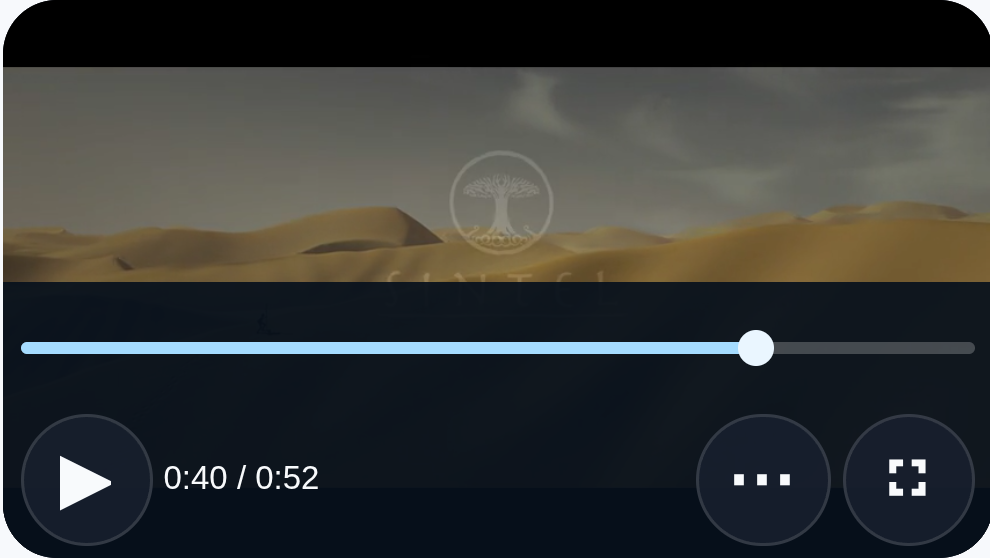
© copyright Blender Foundation | durian.blender.org · CC BY 3.0
Xodera Plugins · Bubble Native
Xodera Video Player Native
Show lessons, product demonstrations and supported live streams inside your app, with playback controls, fullscreen and available language tracks.
Public beta guides · Haptics instructions are in its Bubble listing
Public beta offer: free Bubble install · 7-day card trial, then US$1.50/month per plugin/project.
Documentation reviewed 6 November 2026
Practical examples
Chapter links in a training app
A learner needs to replay one step of a demonstration without navigating to an external player.
`source_url = Current Lesson’s video URL`; `poster_url = Current Lesson’s cover`; each Chapter stores an app-owned start time.
Chapter click → if changing source, wait for `source_loaded` → Seek to `position_seconds` → Play. Use Set playback rate for a detailed demonstration and Enter fullscreen when requested.
Read `position_seconds`, `duration_seconds` and `is_fullscreen`; your workflow stores lesson progress only for the current source.
On `player_error`, show `error_code`, preserve progress and offer Reload video. A completion event is not proof that a lesson or safety assessment was passed.
Use direct video files or supported streams. This player does not export videos.
Video demonstrations on marketplace listings
A product image alone cannot explain how an item works, but an off-site video breaks the purchase flow.
`source_url = Selected Listing’s demonstration URL`; `poster_url = its thumbnail`; `muted = yes` for an intentionally silent first preview.
Open the selected Listing → bind its video → Play after a user action. Offer Set muted for sound and Enter fullscreen for closer inspection. Bind `is_active` to the visible detail.
Use `has_source`, `is_buffering` and `status` to distinguish an absent video, loading and ready media.
On source replacement, stop applying old progress and track selections. Show a thumbnail fallback when the selected file is unsupported.
Use direct video files or supported streams. This player does not export videos.
Choose available language tracks in a supported stream
A multilingual app needs to offer the tracks that a particular source actually contains.
`source_url = Selected Programme’s accepted stream URL`; the source itself must provide compatible audio/subtitle tracks.
On `tracks_changed`, read the current `audio_tracks_json` and `subtitle_tracks_json`; build choices in your app and call Select audio track or Select subtitle track with the current index.
Use `selected_audio_index`, `selected_subtitle_index` and `source_generation` to associate the choice with this source.
Rebuild the choices after every source change. If a track is absent or unsupported, keep the default track and show that availability honestly.
Use direct video files or supported streams. This player does not export videos.
What works now
Public beta. Use the documented controls and actions; test supported formats, permissions and device behavior in your own native app. Browser preview does not validate native device output.
Build the workflow
Use the available beta actions below and test the result on your target devices.
These examples use app records such as Lesson, Message and Order. Replace them with your own data types and element names. Example media addresses must be replaced with your own files.
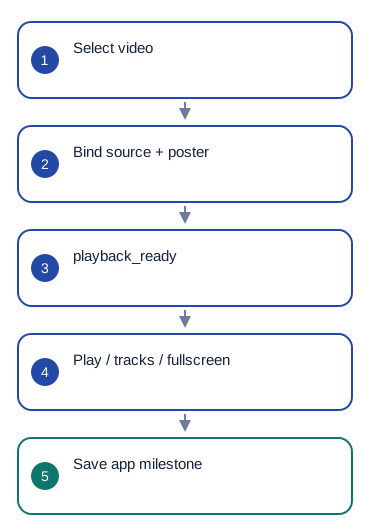
Set source_url = Selected Lesson's video_url and poster_url = Selected Lesson's poster_url. Use auto or progressive for an MP4; use hls for an HLS stream.
After playback_ready, use Seek to resume at saved position_seconds. The user starts Play. Set is_active to whether the lesson view is open.
Add Play, Pause, Seek, Set playback rate and Enter fullscreen controls. Display position_seconds and duration_seconds.
After tracks_changed, show the available audio_tracks_json and subtitle_tracks_json choices for this video. Pass the selected index to Select audio track or Select subtitle track. On ended, save progress.
Configure once
Create or choose your Bubble app project in BestPlugins → Dashboard → Plugins. Choose Xodera Video Player Native, copy its key, then open Bubble → Plugins → Xodera Video Player Native and paste it into licensing_api_key. Save once; then use the actions below. Each plugin in each project has its own key.
Use a direct video or stream address. A YouTube or Vimeo web-page address is not a direct video file. Playback needs no camera or microphone access.
Configure once
- Create or choose your Bubble app project at BestPlugins → Dashboard → Plugins.
- Choose this plugin and copy its project key.
- Open Bubble → Plugins → this plugin. Paste its project key into licensing_api_key and save.
- Add the element, choose your app data and build the workflow below.
- In the dashboard, review and confirm the 7-day card trial for this plugin. It then costs US$1.50/month per app project, including development and production. Cancel before the trial ends to avoid the first charge.
Installation and subscription
For Audio Player, Video Player, Photo Editor, Audio Recorder, Files Kit and Haptics: free Bubble installation, a 7-day trial with a card, then US$1.50 per month per plugin and app project. Development and production are included, with no operation cap. File-size and feature limits still apply. Review billing and cancellation before confirming. Other plugins remain unavailable for purchase.
Save the result in your app
Example WatchProgress: owner = Current User, lesson = Selected Lesson, seconds = Video Player's position_seconds, duration = Video Player's duration_seconds. Save only for the currently selected video. Track indexes belong to that video and should not be stored as permanent language choices.
Failure, cancel and recovery
On player_error, show error_code and offer Reload video. It reloads without starting playback. Selecting another source clears the old track choices. Leaving the view pauses the video; the user presses Play to continue.
Capabilities and limits
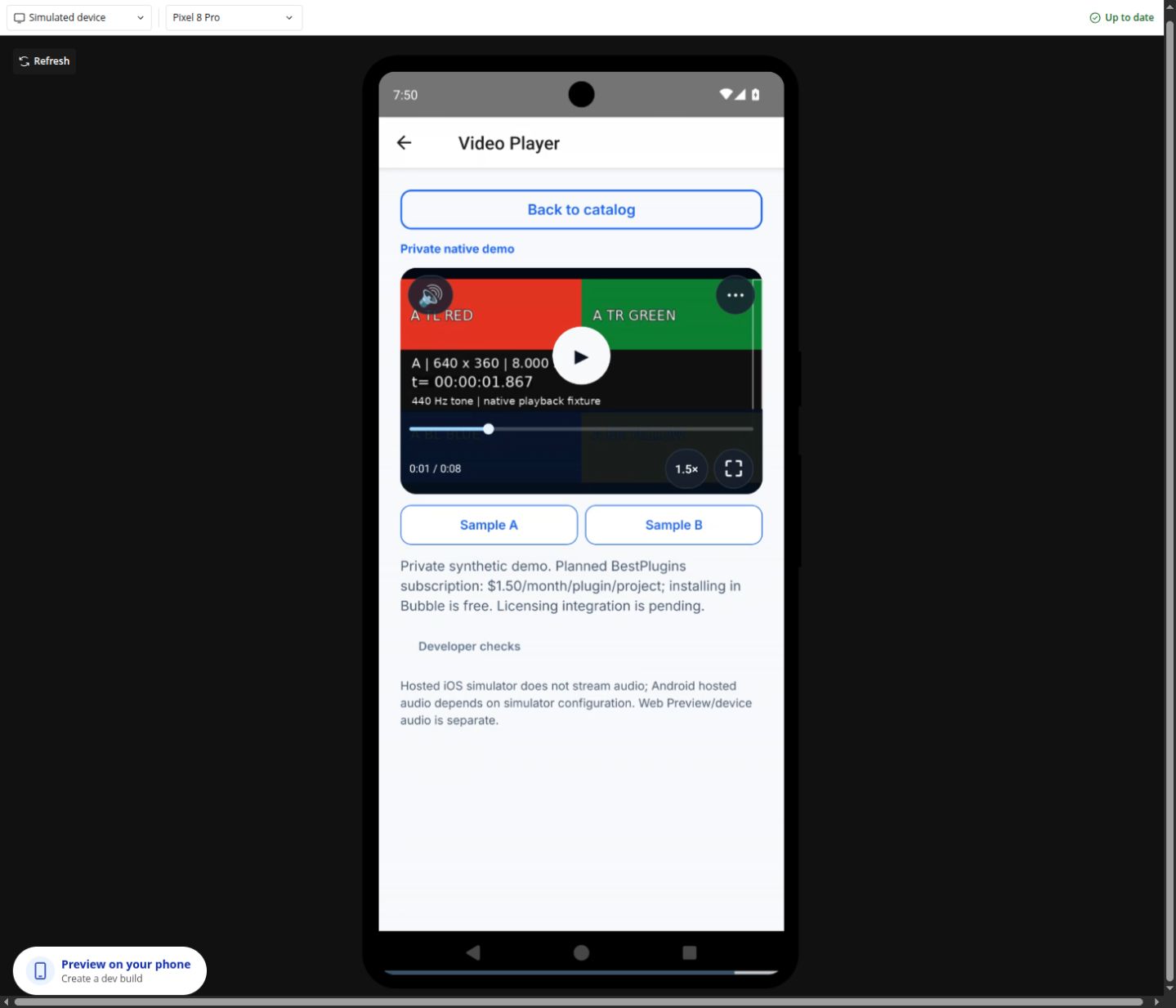
Speeds: 0.5, 1, 1.5 and 2. Volume: 0–1. Formats: auto, progressive, HLS and Android-only DASH. Available tracks depend on the file. Use -1 to turn a track off; -2 means unknown and cannot be selected. No editing, video export, DRM, picture-in-picture or permanent offline cache.
Settings, actions and results
Use these names in Bubble. Planned features are marked separately.
Available beta settings
Element settings
source_url · textposter_url · textcontent_type · textrate · numbervolume · numbermuted · yes/noloop · yes/nois_active · yes/nodisabled · yes/nonative_controls · yes/noui_text_json · textlanguage · textStates
is_playing · yes/nois_buffering · yes/nopending_play · yes/nois_live · yes/nomuted · yes/noloop · yes/nohas_source · yes/nois_fullscreen · yes/noposition_seconds · numberduration_seconds · numbervolume · numberrate · numbersource_generation · numberselected_audio_index · numberselected_subtitle_index · numberstatus · textaudio_tracks_json · textsubtitle_tracks_json · texterror_code · texterror_message · textEvents
source_changedsource_loadedplayback_readyplaying_changedtime_changedendedtracks_changedfullscreen_changedplayer_errorActions and their inputs
PlayPauseStop and rewindReload videoSeekSet volumeSet mutedSet playback rateEnter fullscreenSelect audio trackSelect subtitle trackElement settings · 12
source_urltext · Default: ""- Example value
https://bestplugins.online/native-samples/lesson.mp4 - Example Bubble expression
Selected Lesson's video_url - Address of the selected audio, video or image file. Use a file type this plugin supports.
poster_urltext · Default: ""- Example value
https://bestplugins.online/native-samples/poster.jpg - Example Bubble expression
Selected Lesson's poster_url - Use the current business record’s value; validate it against the limits below.
content_typetext · Default: "auto"- Example value
auto - Example Bubble expression
Selected Lesson's video_content_type - Use the current business record’s value; validate it against the limits below.
ratenumber · Default: 1- Example value
1.5 - Example Bubble expression
Speed Dropdown's value - Use the current business record’s value; validate it against the limits below.
volumenumber · Default: 1- Example value
0.8 - Example Bubble expression
Volume Slider's value - Use the current business record’s value; validate it against the limits below.
mutedyes/no · Default: false- Example value
no - Example Bubble expression
Mute Checkbox is checked - Use the current business record’s value; validate it against the limits below.
loopyes/no · Default: false- Example value
no - Example Bubble expression
Selected Lesson's repeat_enabled - Use the current business record’s value; validate it against the limits below.
is_activeyes/no · Default: true- Example value
yes - Example Bubble expression
GuideHost's view_is_active (your yes/no custom state) - Set yes while this view is open. Set no when leaving, so playback or current work can stop.
disabledyes/no · Default: false- Example value
no - Example Bubble expression
GuideHost's is_busy (your yes/no custom state) - Disable the element while your app is busy or this action is unavailable.
native_controlsyes/no · Default: false- Example value
no - Example Bubble expression
App Settings' use_native_video_controls - Show or hide the device’s standard video controls.
ui_text_jsontext · Default: "{}"- Example value
{} - Example Bubble expression
App Settings' player_labels_json (supported keys only) - Optional JSON with supported button labels. Leave empty to use the built-in text.
languagetext · Default: "auto"- Example value
uk - Example Bubble expression
Current User's preferred_language - Set language=auto to follow a supported device or browser language. Enter a supported language code to choose it explicitly.
Actions and their inputs · 11
Play
No action parameters
Pause
No action parameters
Stop and rewind
No action parameters
Reload video
No action parameters
Seek
position_secondsnumber · Default: —- Example value
45 - Example Bubble expression
Selected Chapter's start_seconds - Use the current business record’s value; validate it against the limits below.
Set volume
volumenumber · Default: —- Example value
0.8 - Example Bubble expression
Volume Slider's value - Use the current business record’s value; validate it against the limits below.
Set muted
mutedyes/no · Default: —- Example value
no - Example Bubble expression
Mute Checkbox is checked - Use the current business record’s value; validate it against the limits below.
Set playback rate
ratenumber · Default: —- Example value
1.5 - Example Bubble expression
Speed Dropdown's value - Use the current business record’s value; validate it against the limits below.
Enter fullscreen
No action parameters
Select audio track
indexnumber · Default: —- Example value
0 - Example Bubble expression
Selected row's current_source_index - Use the current business record’s value; validate it against the limits below.
Select subtitle track
indexnumber · Default: —- Example value
0 - Example Bubble expression
Selected row's current_source_index - Use the current business record’s value; validate it against the limits below.
States and events
States
is_playing · yes/noCurrent value for the selected item. Read it after the related event.
is_buffering · yes/noCurrent value for the selected item. Read it after the related event.
pending_play · yes/noCurrent value for the selected item. Read it after the related event.
is_live · yes/noCurrent value for the selected item. Read it after the related event.
muted · yes/noCurrent value for the selected item. Read it after the related event.
loop · yes/noCurrent value for the selected item. Read it after the related event.
has_source · yes/noCurrent value for the selected item. Read it after the related event.
is_fullscreen · yes/noCurrent value for the selected item. Read it after the related event.
position_seconds · numberCurrent value for the selected item. Read it after the related event.
duration_seconds · numberCurrent value for the selected item. Read it after the related event.
volume · numberCurrent value for the selected item. Read it after the related event.
rate · numberCurrent value for the selected item. Read it after the related event.
source_generation · numberCurrent value for the selected item. Read it after the related event.
selected_audio_index · numberCurrent value for the selected item. Read it after the related event.
selected_subtitle_index · numberCurrent value for the selected item. Read it after the related event.
status · textCurrent result of this action. Use the matching completion event before saving success. idle,loading,readyToPlay,error
audio_tracks_json · textCurrent value for the selected item. Read it after the related event.
subtitle_tracks_json · textCurrent value for the selected item. Read it after the related event.
error_code · textError information for the last action. Show a helpful message and offer the relevant retry.
error_message · textError information for the last action. Show a helpful message and offer the relevant retry.
Events
source_changedWhen this event occurs, read the related states from the same element.
source_loadedWhen this event occurs, read the related states from the same element.
playback_readyWhen this event occurs, read the related states from the same element.
playing_changedWhen this event occurs, read the related states from the same element.
time_changedWhen this event occurs, read the related states from the same element.
endedWhen this event occurs, read the related states from the same element.
tracks_changedWhen this event occurs, read the related states from the same element.
fullscreen_changedWhen this event occurs, read the related states from the same element.
player_errorWhen this event occurs, read the related states from the same element.
Questions developers ask
Can I export the selected segment?
No. Seek and fullscreen change playback, not video bytes.
How does the subscription work?
For Audio Player, Video Player, Photo Editor, Audio Recorder, Files Kit and Haptics: free Bubble installation, a 7-day trial with a card, then US$1.50 per month per plugin and app project. Development and production are included, with no operation cap. File-size and feature limits still apply. Review billing and cancellation before confirming. Other plugins remain unavailable for purchase.
More product examples
Related guides
For help, tell us which plugin and device you use, the action you tried and what happened. Use an example without personal data. Never share your key or private files.