Xodera Plugins · Bubble Native
Xodera Audio Player Native
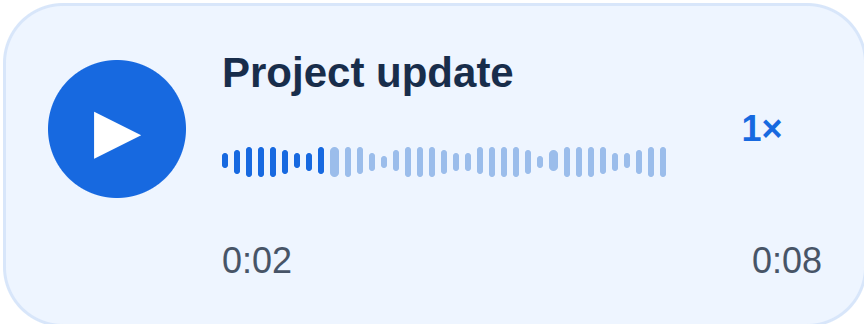
Add a clear audio player to lessons, voice messages or product records. Let people listen, change speed and continue from their saved place.
Public beta guides · Haptics instructions are in its Bubble listing
Public beta offer: free Bubble install · 7-day card trial, then US$1.50/month per plugin/project.
Documentation reviewed 6 November 2026
Practical examples
Voice notes inside a support conversation
A plain file link sends users away from the conversation and makes long replies hard to review.
`source_url = Selected Message’s audio URL`; `title = Selected Message’s sender label`; `subtitle = Selected Message’s timestamp`.
Place the player in the selected-message detail. Let the user Play/Pause, Seek to a useful point and Set speed. Bind `is_active` to the open conversation.
Use `is_playing`, `current_time` and `duration` to show progress. Keep the Message ID in your app so a late event cannot update a different conversation.
On `player_error`, show `error_code` and offer Reload source; preserve the message and never mark it listened to after an error.
Playback only. Your app saves listening progress.
Resume a language lesson at the saved position
Learners need to replay a difficult passage instead of restarting the whole lesson.
`source_url = Current Lesson’s audio URL`; `title = Current Lesson’s name`; the last position belongs to that learner and lesson in your database.
After `ready` for the current lesson, Seek to the saved seconds and wait for the user to Play. Use Set speed for slower listening. Save progress with your own app workflow.
Read `current_time` and `duration`. On `playback_ended`, your app may record a listening milestone for the current Lesson.
If the source changed, discard the old position until that lesson is loaded. Do not treat listening completion as proof that the learner understood or passed a test.
Playback only. Your app saves listening progress.
Review an audio attachment with timestamped comments
Editors or trainers need to jump from a comment to the relevant moment in a recording.
`source_url = Selected Review’s recording URL`; each app-owned Comment stores its own seconds value; optional `waveform_peaks_json` contains real peaks for that same recording.
Click a Comment → Seek to its seconds → Play. On source change, replace or clear the peaks and bind the selected Review again.
Display `current_time` beside your comment composer. `waveform_available` tells your UI whether actual supplied peaks are available.
Clamp or reject stale timestamps against the current duration in your app. When no real peaks exist, show the ordinary progress control rather than invented audio analysis.
Playback only. Your app saves listening progress.
What works now
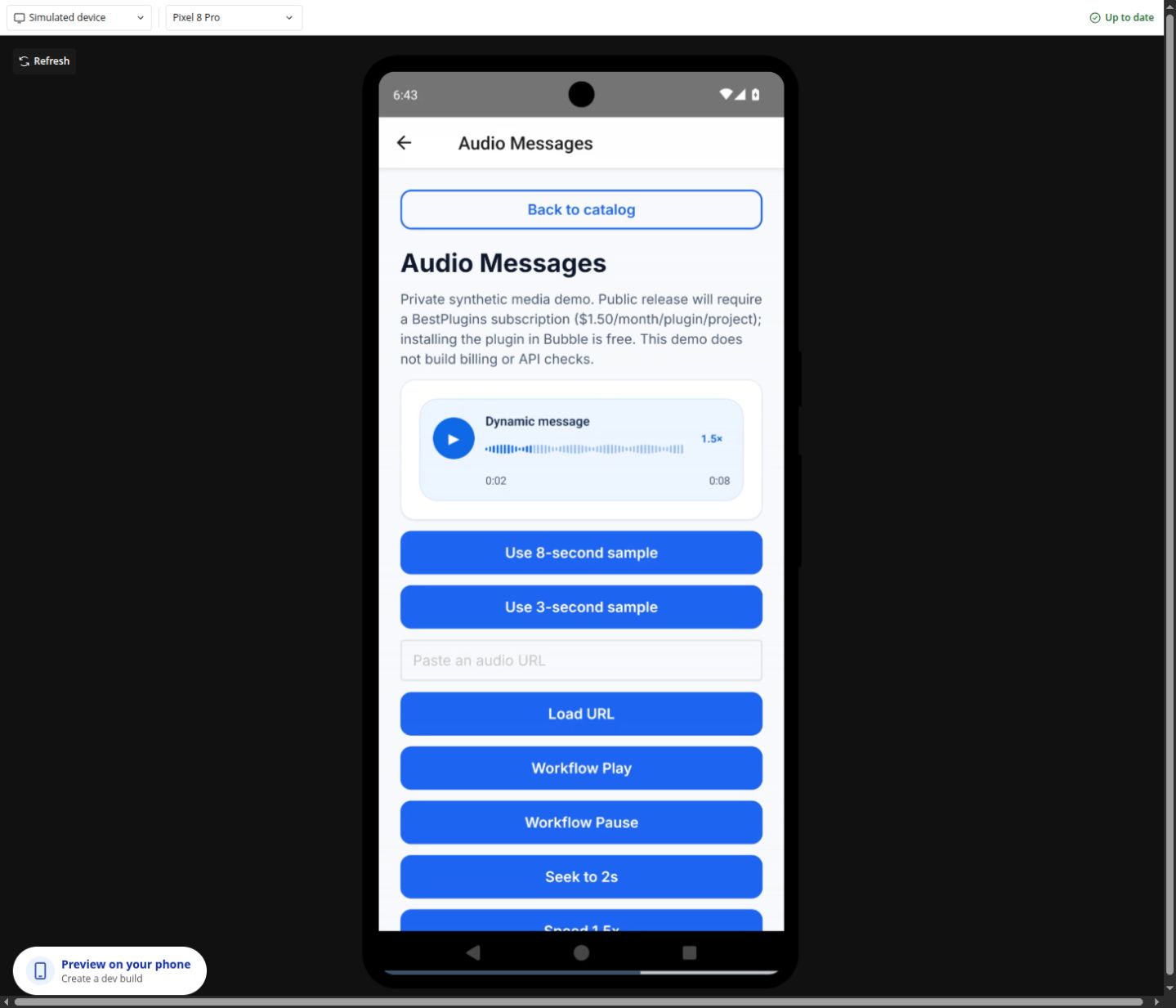
Public beta. Use the documented controls and actions; test supported formats, permissions and device behavior in your own native app. Browser preview does not validate native device output.
Build the workflow
Use the available beta actions below and test the result on your target devices.
These examples use app records such as Lesson, Message and Order. Replace them with your own data types and element names. Example media addresses must be replaced with your own files.
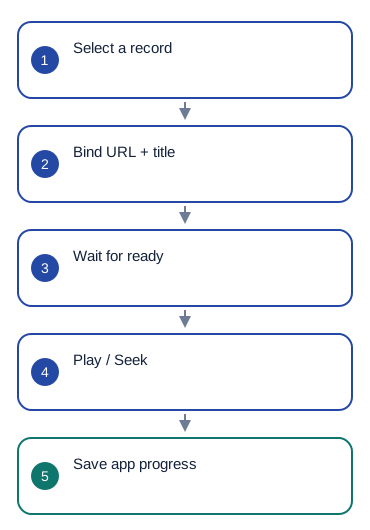
Add the audio element. Set source_url = Selected Message's audio_url, title = Selected Message's sender_label and subtitle = Selected Message's date_label.
If you have real waveform data for this recording, pass it in waveform_peaks_json. Otherwise leave it empty.
When ready occurs, use Seek with the saved number of seconds if needed. Let the user press Play. Use Pause, Seek and Set speed for the player buttons.
Show current_time and duration. On playback_ended, save listening progress for the selected message or lesson. Set is_active to whether this view is open.
Configure once
Create or choose your Bubble app project in BestPlugins → Dashboard → Plugins. Choose Xodera Audio Player Native, copy its key, then open Bubble → Plugins → Xodera Audio Player Native and paste it into licensing_api_key. Save once; then use the actions below. Each plugin in each project has its own key.
Use a direct audio-file address that the app can open. Playing audio does not require microphone or camera access.
Configure once
- Create or choose your Bubble app project at BestPlugins → Dashboard → Plugins.
- Choose this plugin and copy its project key.
- Open Bubble → Plugins → this plugin. Paste its project key into licensing_api_key and save.
- Add the element, choose your app data and build the workflow below.
- In the dashboard, review and confirm the 7-day card trial for this plugin. It then costs US$1.50/month per app project, including development and production. Cancel before the trial ends to avoid the first charge.
Installation and subscription
For Audio Player, Video Player, Photo Editor, Audio Recorder, Files Kit and Haptics: free Bubble installation, a 7-day trial with a card, then US$1.50 per month per plugin and app project. Development and production are included, with no operation cap. File-size and feature limits still apply. Review billing and cancellation before confirming. Other plugins remain unavailable for purchase.
Save the result in your app
Example ListeningProgress: owner = Current User, lesson = Selected Lesson, seconds = Audio Player's current_time, duration = Audio Player's duration. Save when the user pauses or leaves the lesson, rather than on every screen update.
Failure, cancel and recovery
On player_error, show error_code and offer Reload source. Keep the message or lesson record. When a different recording is selected, load its own saved position. Returning to the view does not start playback automatically.
Capabilities and limits
Playback speeds: 1, 1.5 and 2. Volume: 0–1. Waveform data: 2–2048 values between 0 and 1. Supported audio formats depend on the device. The player does not record, transcribe or permanently save audio for offline use. Background and lock-screen playback are not guaranteed.
Settings, actions and results
Use these names in Bubble. Planned features are marked separately.
Available beta settings
Element settings
source_url · textwaveform_peaks_json · texttitle · textsubtitle · textplayback_rate · numbervolume · numberloop · yes_nois_active · yes_nodisabled · yes_noui_text_json · textlanguage · textStates
player_status · textis_playing · yes_nois_loaded · yes_nois_buffering · yes_nocurrent_time · numberduration · numberprogress · numberplayback_rate · numbervolume · numberis_looping · yes_nowaveform_available · yes_nowaveform_status · texterror_code · textEvents
readyplayback_startedplayback_pausedplayback_endedseek_completedrate_changedplayer_errorActions and their inputs
PlayPauseToggleStopSeekSet speedSet volumeReload sourceElement settings · 11
source_urltext · Default: ""- Example value
https://bestplugins.online/native-samples/lesson.mp3 - Example Bubble expression
Selected Message's audio_url - Address of the selected audio, video or image file. Use a file type this plugin supports.
waveform_peaks_jsontext · Default: ""- Example value
[0.1,0.4,0.2,0.7] - Example Bubble expression
Selected Message's waveform_peaks_json - Real normalized amplitude values for this recording; leave empty if unavailable.
titletext · Default: ""- Example value
Lesson 4 — review - Example Bubble expression
Selected Lesson's name - Visible app text; empty uses built-in localized copy where supported. No credentials.
subtitletext · Default: ""- Example value
Teacher · today - Example Bubble expression
Selected Message's sender_label - Visible app text; empty uses built-in localized copy where supported. No credentials.
playback_ratenumber · Default: 1- Example value
1.5 - Example Bubble expression
Current User's listening_speed - Use the current business record’s value; validate it against the limits below.
volumenumber · Default: 1- Example value
0.8 - Example Bubble expression
Volume Slider's value - Use the current business record’s value; validate it against the limits below.
loopyes_no · Default: false- Example value
no - Example Bubble expression
Selected Lesson's repeat_enabled - Use the current business record’s value; validate it against the limits below.
is_activeyes_no · Default: true- Example value
yes - Example Bubble expression
GuideHost's view_is_active (your yes/no custom state) - Set yes while this view is open. Set no when leaving, so playback or current work can stop.
disabledyes_no · Default: false- Example value
no - Example Bubble expression
GuideHost's is_busy (your yes/no custom state) - Disable the element while your app is busy or this action is unavailable.
ui_text_jsontext · Default: ""- Example value
{} - Example Bubble expression
App Settings' player_labels_json (supported keys only) - Optional JSON with supported button labels. Leave empty to use the built-in text.
languagetext · Default: "auto"- Example value
uk - Example Bubble expression
Current User's preferred_language - Set language=auto to follow a supported device or browser language. Enter a supported language code to choose it explicitly.
Actions and their inputs · 8
Play
No action parameters
Pause
No action parameters
Toggle
No action parameters
Stop
No action parameters
Seek
secondsnumber · Default: —- Example value
12 - Example Bubble expression
Selected Comment's seconds - Use the current business record’s value; validate it against the limits below.
Set speed
ratenumber · Default: —- Example value
1.5 - Example Bubble expression
Speed Dropdown's value - Use the current business record’s value; validate it against the limits below.
Set volume
volumenumber · Default: —- Example value
0.8 - Example Bubble expression
Volume Slider's value - Use the current business record’s value; validate it against the limits below.
Reload source
No action parameters
States and events
States
player_status · textCurrent result of this action. Use the matching completion event before saving success.
is_playing · yes_noCurrent value for the selected item. Read it after the related event.
is_loaded · yes_noCurrent value for the selected item. Read it after the related event.
is_buffering · yes_noCurrent value for the selected item. Read it after the related event.
current_time · numberCurrent value for the selected item. Read it after the related event.
duration · numberCurrent value for the selected item. Read it after the related event.
progress · numberCurrent value for the selected item. Read it after the related event.
playback_rate · numberCurrent value for the selected item. Read it after the related event.
volume · numberCurrent value for the selected item. Read it after the related event.
is_looping · yes_noCurrent value for the selected item. Read it after the related event.
waveform_available · yes_noCurrent value for the selected item. Read it after the related event.
waveform_status · textCurrent result of this action. Use the matching completion event before saving success.
error_code · textError information for the last action. Show a helpful message and offer the relevant retry.
Events
readyWhen this event occurs, read the related states from the same element.
playback_startedWhen this event occurs, read the related states from the same element.
playback_pausedWhen this event occurs, read the related states from the same element.
playback_endedWhen this event occurs, read the related states from the same element.
seek_completedWhen this event occurs, read the related states from the same element.
rate_changedWhen this event occurs, read the related states from the same element.
player_errorWhen this event occurs, read the related states from the same element.
Questions developers ask
Does it create the waveform?
No. Supply real normalized peaks for that source; ordinary progress works without them.
How does the subscription work?
For Audio Player, Video Player, Photo Editor, Audio Recorder, Files Kit and Haptics: free Bubble installation, a 7-day trial with a card, then US$1.50 per month per plugin and app project. Development and production are included, with no operation cap. File-size and feature limits still apply. Review billing and cancellation before confirming. Other plugins remain unavailable for purchase.
More product examples
Related guides
For help, tell us which plugin and device you use, the action you tried and what happened. Use an example without personal data. Never share your key or private files.