Xodera Plugins · Bubble Native
Xodera Offline Files Native
將報告附件與選取的檔案保留在裝置上,稍後恢復,並讓使用者分享所選的副本。
Public beta guides · Haptics instructions are in its Bubble listing
Public beta offer: free Bubble install · 7-day card trial, then US$1.50/month per plugin/project.
文件審閱日期:2026年11月6日
實用範例
在提交報告前先暫存多個本機附件
表單必須顯示已選取的檔案,並讓使用者在任何雲端提交之前保留受管理的副本。
`accepted_mime_types_json = your allowed MIME list`;`multiple = yes`;設定 `max_files`、`max_file_bytes` 與帳號/報告 `document_context`。
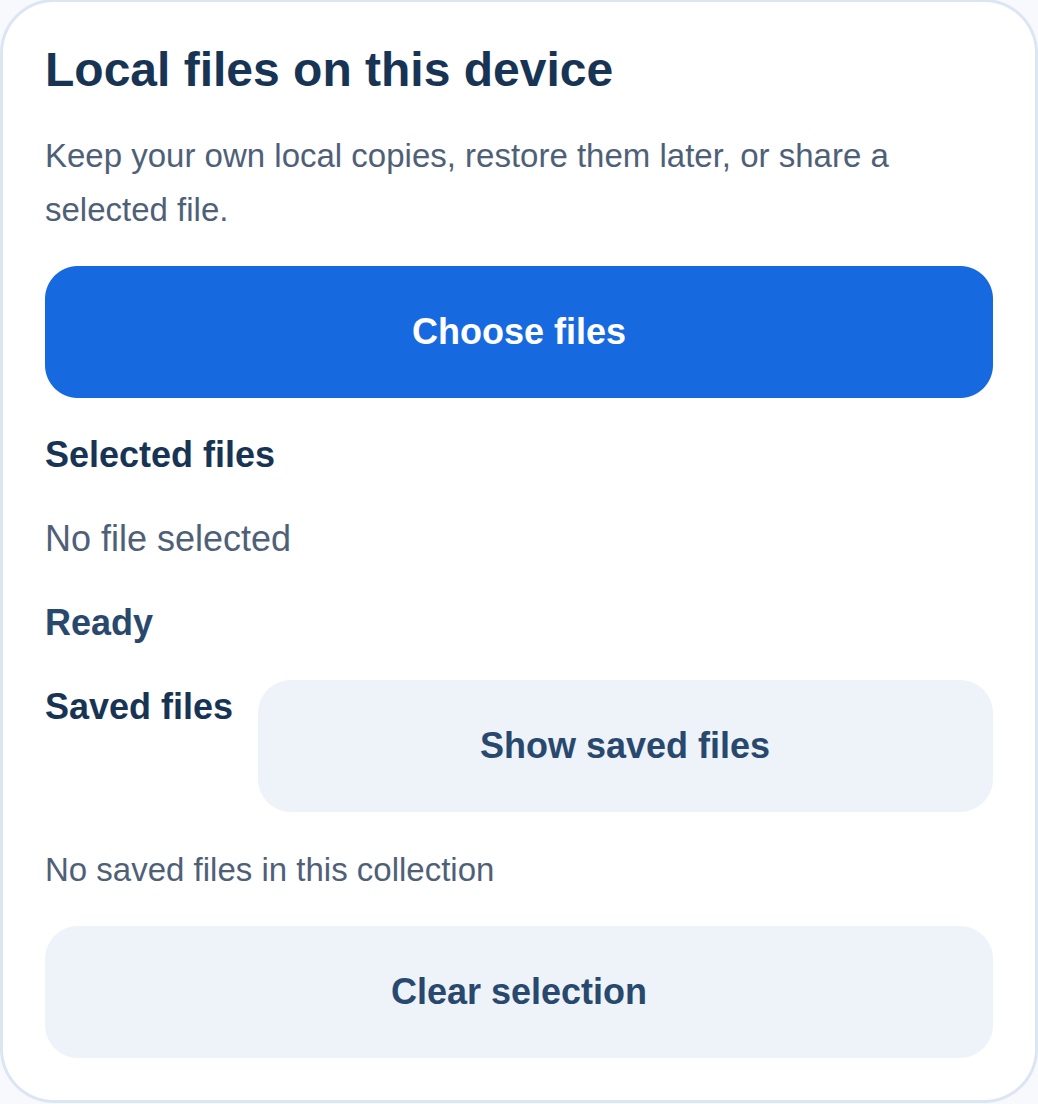
Pick files → 檢查所選的名稱/大小 → Save selection locally。您的表單會保留產生的檔案 ID,直至其獨立的提交工作流程上傳已批准的檔案。
使用 `selection_count`、`file_names`、`file_sizes` 和 `saved_file_ids` 來呈現附件核對清單。已儲存的受管理副本保留呼叫者的原始內容。
取消的挑選器不等同於已提交的報告。在 `files_error` 上,保留已接受的本機 ID 並顯示 `error_code`;絕不僅從本機 URI 建立雲端附件。
檔案會保留在此裝置上,直至另行分享或上傳。
保留照片編輯器或錄音器的輸出以供日後使用
產生的本機檔案可能位於暫存位置;應用程式需要明確的受管理副本。
`source_uri = the local output of a separately accepted editor/recorder`;綁定其實際的 `display_name` 與 `mime_type`;使用相同擁有者的 `document_context`。
Load local source → 檢查中繼資料 → Save selection locally。僅在相符的裝置/情境中儲存回傳的檔案 ID,之後在需要時以該精確 ID 執行 Restore saved file。
使用 `file_id`、`local_uri`、`size_bytes` 與 `is_saved_locally`;使用 `file_restored` 以區分已完成的還原與僅是請求還原。
拒絕將遠端 HTTP URL 當作本機來源。若來源消失或還原失敗,顯示 `error_code` 並保留原始應用程式記錄以供復原。
檔案會保留在此裝置上,直至另行分享或上傳。
讓使用者分享應用程式產生的本機收據或匯出檔案
應用程式應將選取的本機檔案交給裝置的系統分享選單,而非自行產生公開 URL。
`selected_file_id = the exact managed copy chosen from your app’s saved-file list`;其名稱與 MIME 描述真實的本機檔案。
List saved files → Restore saved file → 使用者點選 Share 後,執行 Share selected file。保留已儲存的副本,直至使用者明確選擇 Delete saved copy。
在系統分享選單關閉後使用 `share_status` 與 `share_sheet_closed` 更新 UI。保留檔案 ID 以供後續的有意分享。
系統分享選單已關閉,並不能證明電子郵件/訊息已送達。處理取消與 `files_error` 時,不得宣稱收件者已成功收到檔案。
檔案會保留在此裝置上,直至另行分享或上傳。
目前可用功能
Public beta. Use the documented controls and actions; test supported formats, permissions and device behavior in your own native app. Browser preview does not validate native device output.
建立工作流程
使用下方可用的測試版操作,並在目標裝置上測試結果。
這些範例使用如 Lesson、Message 和 Order 的應用程式記錄。請以您自己的資料類型和元素名稱取代它們。範例媒體位址必須替換為您自己的檔案。
設定 document_context = Current User's unique id,或為帳號與報告設定穩定值。選擇 accepted_mime_types_json、max_files 與 max_file_bytes。
執行 Pick files,或使用 Load local source 取得 Photo Editor 或 Recorder 產生的可讀檔案。selection_changed 後,讀取相符的檔案清單;Select picked file 選擇索引。
執行 Save selection locally。files_saved 後,將 saved_file_ids 保留在應用程式的本機附件記錄中。List saved files 顯示已儲存的副本;Restore saved file 開啟所選的已儲存 ID。
Share selected file 開啟系統分享選單。share_sheet_closed 僅表示選單已關閉。Delete saved copy 需要所選的 ID 與 confirm=yes。
一次性設定
在 BestPlugins → Dashboard → Plugins 中建立或選取您的 Bubble 應用程式專案。選擇 Xodera Offline Files Native,複製其金鑰,然後開啟 Bubble → Plugins → Xodera Offline Files Native,將金鑰貼入 licensing_api_key。儲存一次;之後使用下方操作。每個專案中的每個外掛都有其專屬金鑰。
使用具存取所選檔案權限的原生應用程式。為帳號或報告設定穩定的 document_context,以確保其已儲存的檔案正確分組。
一次性設定
- 在 BestPlugins → Dashboard → Plugins 中建立或選取您的 Bubble 應用程式專案。
- 選取此外掛並複製其專案金鑰。
- Open Bubble → Plugins → this plugin. Paste its project key into licensing_api_key and save.
- 加入元件,選取您的應用程式資料,並建立下方的工作流程。
- In the dashboard, review and confirm the 7-day card trial for this plugin. It then costs US$1.50/month per app project, including development and production. Cancel before the trial ends to avoid the first charge.
安裝與訂閱
For Audio Player, Video Player, Photo Editor, Audio Recorder, Files Kit and Haptics: free Bubble installation, a 7-day trial with a card, then US$1.50 per month per plugin and app project. Development and production are included, with no operation cap. File-size and feature limits still apply. Review billing and cancellation before confirming. Other plugins remain unavailable for purchase.
將結果儲存至您的應用程式
範例 LocalAttachment:擁有者、document_context、已儲存的檔案 ID、display_name、mime_type 與 size_bytes。此 ID 僅在相同裝置及相同帳號或報告上有效。若為線上附件,請使用其他工作流程上傳檔案,並儲存回傳的線上檔案參考。
失敗、取消與復原
取消的選取器會回傳 operation_cancelled;不會提交表單。當 native_pending=yes 時,請等檔案選取器或分享選單關閉後再開啟下一個。Clear session 會清除目前的選取,但保留已儲存的副本。若檔案遺失,讓使用者重新選擇。
功能與限制
一次選擇 1–20 檔案。每檔案上限:1 位元組至 256 MiB,若需要可設定較低上限。檔案類型過濾不會檢查病毒。裝置檔案 ID 與路徑無法作為雲端下載連結。本機副本未加密儲存,若應用程式資料被移除可能會遺失。
設定、操作與結果
在 Bubble 中使用這些名稱。計畫中的功能會另行標示。
可用的測試版設定
元素設定
source_uri · textdisplay_name · textmime_type · textdocument_context · textselected_file_id · textaccepted_mime_types_json · textmultiple · yes_nocopy_to_cache · yes_nomax_files · numbermax_file_bytes · numberis_active · yes_nodisabled · yes_noshow_controls · yes_nolanguage · textui_text_json · texttitle · text狀態
status · textis_busy · yes_nonative_pending · yes_nooperation · textselection_count · numberselected_index · numberfile_id · textlocal_uri · textdisplay_name · textmime_type · textmime_source · textsize_bytes · numberis_saved_locally · yes_nofile_ids · text (列表)file_uris · text (列表)file_names · text (列表)file_mime_types · text (列表)file_sizes · number (列表)files_json · textsaved_count · numbersaved_file_ids · text (列表)saved_file_uris · text (列表)saved_file_names · text (列表)saved_file_mime_types · text (列表)saved_file_sizes · number (列表)saved_files_json · textinvalid_saved_count · numbershare_status · texterror_code · text事件
selection_changedfiles_savedlist_loadedfile_restoredfile_deletedshare_sheet_closedoperation_cancelledfiles_error操作及其輸入
Pick filesLoad local sourceSelect picked fileSave selection locallyList saved filesRestore saved fileDelete saved copyShare selected fileCancel operationClear session元素設定 · 16
source_uritext · 預設: ""- 範例值
file:///app-cache/report.pdf - 範例 Bubble 表達式
Photo Editor's output_uri - 可讀取的檔案位置於此裝置,由您的挑選器或其他外掛回傳。
display_nametext · 預設: ""- 範例值
report-photo.jpg - 範例 Bubble 表達式
Selected Attachment's display_name - 使用目前業務記錄的值;依以下限制進行驗證。
mime_typetext · 預設: ""- 範例值
image/jpeg - 範例 Bubble 表達式
Photo Editor's output_mime - 使用目前業務記錄的值;依以下限制進行驗證。
document_contexttext · 預設: "default"- 範例值
<current-user-id> - 範例 Bubble 表達式
Current User's unique id - 此帳戶或記錄的穩定值。還原其已保存的檔案或草稿時使用相同的值。
selected_file_idtext · 預設: ""- 範例值
<returned saved file ID> - 範例 Bubble 表達式
Selected LocalAttachment's local_file_id - 使用目前業務記錄的值;依以下限制進行驗證。
accepted_mime_types_jsontext · 預設: "[\"*/*\"]"- 範例值
["image/*","application/pdf"] - 範例 Bubble 表達式
Report Settings' accepted_mime_types_json - 使用目前業務記錄的值;依以下限制進行驗證。
multipleyes_no · 預設: false- 範例值
yes - 範例 Bubble 表達式
Report Settings' allow_multiple_attachments - 使用目前業務記錄的值;依以下限制進行驗證。
copy_to_cacheyes_no · 預設: true- 範例值
yes - 範例 Bubble 表達式
Report Settings' copy_to_cache - 使用目前業務記錄的值;依以下限制進行驗證。
max_filesnumber · 預設: 20- 範例值
5 - 範例 Bubble 表達式
Report Settings' attachment_limit - 使用目前業務記錄的值;依以下限制進行驗證。
max_file_bytesnumber · 預設: 268435456- 範例值
10485760 - 範例 Bubble 表達式
Report Settings' max_attachment_bytes - 使用目前業務記錄的值;依以下限制進行驗證。
is_activeyes_no · 預設: true- 範例值
yes - 範例 Bubble 表達式
GuideHost's view_is_active (your yes/no custom state) - 在此視圖開啟時設為是,離開時設為否,以便停止播放或當前工作。
disabledyes_no · 預設: false- 範例值
no - 範例 Bubble 表達式
GuideHost's is_busy (your yes/no custom state) - 當您的應用忙碌或此操作不可用時,停用該元件。
show_controlsyes_no · 預設: true- 範例值
yes - 範例 Bubble 表達式
App Settings' show_editor_controls - 顯示或隱藏內建控制項。
languagetext · 預設: "auto"- 範例值
uk - 範例 Bubble 表達式
Current User's preferred_language - 設定 language=auto 以跟隨支援的裝置或瀏覽器語言。輸入支援的語言代碼以明確選擇。
ui_text_jsontext · 預設: ""- 範例值
{} - 範例 Bubble 表達式
App Settings' player_labels_json (supported keys only) - 可選的 JSON,包含支援的按鈕標籤。留空則使用內建文字。
titletext · 預設: ""- 範例值
Lesson 4 — review - 範例 Bubble 表達式
Selected Lesson's name - 可見的應用文字;留空則使用內建的本地化文字(若支援)。請勿填入憑證。
操作及其輸入 · 10
Pick files
無操作參數
Load local source
source_uritext · 預設: —- 範例值
file:///app-cache/report.pdf - 範例 Bubble 表達式
Photo Editor's output_uri - 可讀取的檔案位置於此裝置,由您的挑選器或其他外掛回傳。
display_nametext · 預設: —- 範例值
report-photo.jpg - 範例 Bubble 表達式
Selected Attachment's display_name - 使用目前業務記錄的值;依以下限制進行驗證。
mime_typetext · 預設: —- 範例值
image/jpeg - 範例 Bubble 表達式
Photo Editor's output_mime - 使用目前業務記錄的值;依以下限制進行驗證。
Select picked file
indexnumber · 預設: —- 範例值
0 - 範例 Bubble 表達式
Selected row's current_source_index - 使用目前業務記錄的值;依以下限制進行驗證。
Save selection locally
無操作參數
List saved files
無操作參數
Restore saved file
file_idtext · 預設: —- 範例值
<returned saved file ID> - 範例 Bubble 表達式
Selected LocalAttachment's local_file_id - 使用目前業務記錄的值;依以下限制進行驗證。
Delete saved copy
file_idtext · 預設: —- 範例值
<returned saved file ID> - 範例 Bubble 表達式
Selected LocalAttachment's local_file_id - 使用目前業務記錄的值;依以下限制進行驗證。
confirmyes_no · 預設: —- 範例值
yes — explicit confirmation only - 範例 Bubble 表達式
Confirm Checkbox is checked - 使用目前業務記錄的值;依以下限制進行驗證。
Share selected file
dialog_titletext · 預設: —- 範例值
Share attachment - 範例 Bubble 表達式
Selected Report's share_title - 使用目前業務記錄的值;依以下限制進行驗證。
utitext · 預設: —- 範例值
"" - 範例 Bubble 表達式
Empty unless your iOS integration supplies a proven UTI - 使用目前業務記錄的值;依以下限制進行驗證。
Cancel operation
無操作參數
Clear session
無操作參數
狀態與事件
狀態
status · text此操作的當前結果。於儲存成功前使用相符的完成事件。
is_busy · yes_no工作仍在進行中。請在開始其他操作前稍候。
native_pending · yes_no工作仍在進行中。請在開始其他操作前稍候。
operation · text所選項目的當前值。於相關事件後讀取。
selection_count · number所選項目的當前值。於相關事件後讀取。
selected_index · number所選項目的當前值。於相關事件後讀取。
file_id · text此項目或操作的識別碼。請將其與相應的應用記錄一起保存。重試不確定結果時,使用相同的請求識別碼。
local_uri · text此裝置上的檔案位置。若必須保留在線上,請另行保存或上傳檔案。
display_name · text所選項目的當前值。於相關事件後讀取。
mime_type · text所選項目的當前值。於相關事件後讀取。
mime_source · text所選項目的當前值。於相關事件後讀取。
size_bytes · number所選項目的當前值。於相關事件後讀取。
is_saved_locally · yes_no所選項目的當前值。於相關事件後讀取。
file_ids · text (列表)已選取檔案的清單。其他檔案清單中相同索引的項目指向同一檔案。
file_uris · text (列表)已選取檔案的清單。其他檔案清單中相同索引的項目指向同一檔案。
file_names · text (列表)已選取檔案的清單。其他檔案清單中相同索引的項目指向同一檔案。
file_mime_types · text (列表)已選取檔案的清單。其他檔案清單中相同索引的項目指向同一檔案。
file_sizes · number (列表)已選取檔案的清單。其他檔案清單中相同索引的項目指向同一檔案。
files_json · text所選項目的當前值。於相關事件後讀取。
saved_count · number所選項目的當前值。於相關事件後讀取。
saved_file_ids · text (列表)已選取檔案的清單。其他檔案清單中相同索引的項目指向同一檔案。
saved_file_uris · text (列表)已選取檔案的清單。其他檔案清單中相同索引的項目指向同一檔案。
saved_file_names · text (列表)已選取檔案的清單。其他檔案清單中相同索引的項目指向同一檔案。
saved_file_mime_types · text (列表)已選取檔案的清單。其他檔案清單中相同索引的項目指向同一檔案。
saved_file_sizes · number (列表)已選取檔案的清單。其他檔案清單中相同索引的項目指向同一檔案。
saved_files_json · text所選項目的當前值。於相關事件後讀取。
invalid_saved_count · number所選項目的當前值。於相關事件後讀取。
share_status · text此操作的當前結果。於儲存成功前使用相符的完成事件。
error_code · text上一次操作的錯誤資訊。顯示有用的訊息並提供相關的重試。
事件
selection_changed當此事件發生時,從同一元素讀取相關狀態。
files_saved當此事件發生時,從同一元素讀取相關狀態。
list_loaded當此事件發生時,從同一元素讀取相關狀態。
file_restored當此事件發生時,從同一元素讀取相關狀態。
file_deleted當此事件發生時,從同一元素讀取相關狀態。
share_sheet_closed當此事件發生時,從同一元素讀取相關狀態。
operation_cancelled當此事件發生時,從同一元素讀取相關狀態。
files_error當此事件發生時,從同一元素讀取相關狀態。
開發者常問問題
分享是否表示「已傳送」?
否。作業系統此處不會提供可靠的收件人成功回執。顯示「分享選單已關閉」。
訂閱如何運作?
For Audio Player, Video Player, Photo Editor, Audio Recorder, Files Kit and Haptics: free Bubble installation, a 7-day trial with a card, then US$1.50 per month per plugin and app project. Development and production are included, with no operation cap. File-size and feature limits still apply. Review billing and cancellation before confirming. Other plugins remain unavailable for purchase.
相關指南
如需協助,請告訴我們您使用的插件與裝置、嘗試的操作以及發生的情況。請使用不含個人資料的範例。切勿分享您的金鑰或私人檔案。